vue2 的 input 组件
效果
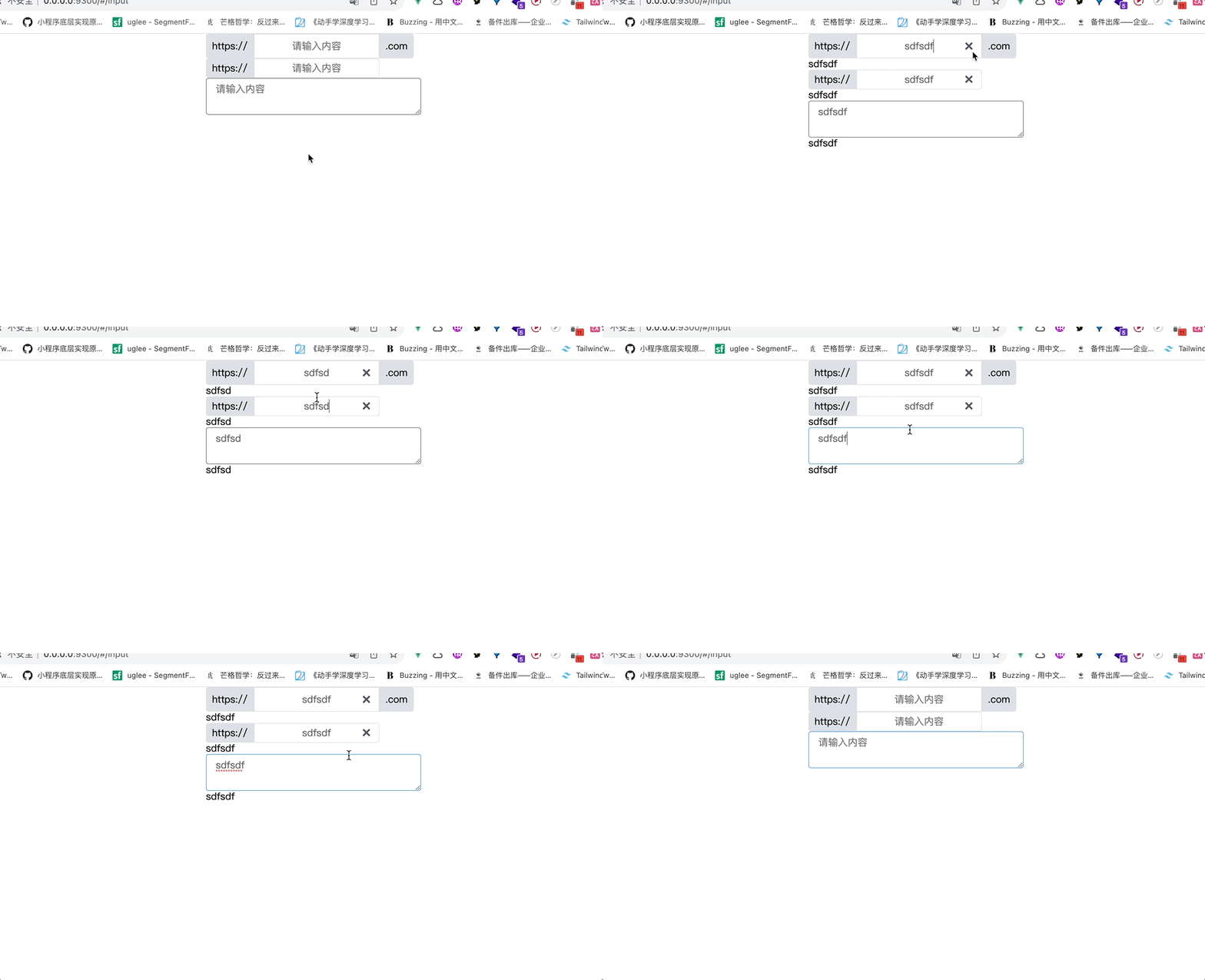
代码在电脑的《r-ui》文件夹中
/views/input
<template>
<div class="input">
  <div>
    <r-input
      @input="data => msg = data"
      :value="msg"
      placeholder="请输入内容"
      clearable
      center
      type="text"
      size="medium"
      >
      <!-- 命名插槽,新版本都用v-slot -->
      <template v-slot:prepend>
        https://
      </template>
      <template v-slot:append>.com</template>
    </r-input>
    {{ msg }}
  </div>
  <div>
    <r-input
      @input="data => msg = data"
      :value="msg"
      placeholder="请输入内容"
      clearable
      center
      type="text"
      size="small"
      >
      <template v-slot:prepend>
        https://
      </template>
    </r-input>
    {{ msg }}
  </div>
  <div>
    <r-input
      @input="data => msg = data"
      :value="msg"
      placeholder="请输入内容"
      type="textarea"
      ></r-input>
    {{ msg }}
  </div>

</div>
</template>
<script>
export default {
  data() {
    return {
      msg: '',
    }
  },
  methods: {
  }
}
</script>
<style>
.input {
  width: 350px;
  margin: 0 auto;
}
</style>
/components/input/index
<!-- /components/input/index -->
<template>
<div class="input-wrapper">
  <template v-if="type === 'text'">
    <div class="inline-block"  :class="styleClass">
      <div class="prepend" v-if="$slots.prepend" :class="equalHeight">
        <slot name="prepend"></slot>
      </div>
      <div class="wrapper">
        <!-- v-on 把所有的事情集中在一起 -->
        <!-- v-bind 一种写法,v-bind="$attrs",把父组件的所有属性继承过来 -->
        <input
          :value="inputValue"
          v-on="MyListeners"
          v-bind="$attrs"
          class="r-text"
          :class="className"
          />
        <span v-if="showClear"><r-icon name="qingkong" @click.native="clearContent"></r-icon></span>
      </div>
      <div class="append" v-if="$slots.append" :class="equalHeight">
        <slot name="append"></slot>
      </div>
    </div>

  </template>
  <template v-else>
    <textarea
      :value="inputValue"
      v-on="MyListeners"
      v-bind="$attrs"
      class="r-textarea"
      :class="className"></textarea>
  </template>
</div>
</template>
<script>
export default {
  name: 'r-input',
  props: {
    value: {
      type: [String, Number],
      default: ''
    },
    type: {
      type: String,
      default: 'text',
      validator(type) {
        return ['text', 'textarea'].indexOf(type) > -1
      }
    },
    size: {
      type: String,
      default: '',
      validator (value) {
        return ['', 'small', 'medium'].includes(value)
      }
    },
    clearable: {
      type: Boolean,
      default: true,
    },
    center: {
      type: Boolean,
      default: false
    }
  },
  computed: {
    inputValue: {
      get: function() {
        return this.value
      },
      set (value) {
        console.log(1111);
        // 这句代码需要的
        this.$emit('input', value)
      }
    },
    // 重写input事件
    MyListeners() {
      return Object.assign(this.$listeners, {
        input: event => this.$emit("input", event.target.value)
      });
    },
    className () {
      return {
        ['r-input--' + this.size]: true,
        'is-center': this.center
      }
    },
    showClear() {
      return this.clearable && this.inputValue !== ''
    },
    styleClass() {
      return {
        'has-append': this.$slots.append,
        'has-prepend': this.$slots.prepend
      }
    },
    equalHeight() {
      return {
        ['r-input--' + this.size]: true,
      }
    }
  },
  methods: {
    clearContent() {
      this.inputValue = ''
    }
  },
  mounted() {
  }
}
</script>
<style lang="scss" scoped>
@import './style.scss'
</style>